How do you stay positive during information literacy session? While I have not taught many one-shot sessions yet, I get the impression that students get distracted or bored during the instruction period. It seems logical that that their postures and lack of responses may invite the instructor to become more cynical or pessimistic. As professionals, librarians ought to remain positive as they teach and seek for methods that will capture the attention of students while also enhancing their learning. What will students learn during the session? How will they demonstrate that they have learned what has been taught? What will they do?
A few days ago I talked with an experienced librarian about creating an information-literacy tutorial for students in a regular freshman speech course. The topic of teaching the difference between scholarly and popular articles came up, and I mentioned that students can often discern between them by the grammar in the titles and sometimes by the length of the article. If an article contains a colon, it likely represents a scholarly article, since academics and professionals try to identify their subject somewhat broadly at first and then narrow the subject down to the specific aspect on which they focus their writing. The following seems to be a pertinent example: "UNPICKING FEMALE EXEMPLARITY; OR, THE USEFULNESS OF BODY STORIES: REASSESSING FEMALE COMMUNAL IDENTITY IN TWO EARLY MODERN FRENCH TEXTS." My colleague seemed interested in the idea of colons in titles as evidence of a scholarly article, but she took issue with my statement of length of an article as an indicator of scholarly work. After hearing her comments I agree that length of article does not determine very well if an article is scholarly/peer-reviewed or not. However, upon further reflection, I believe that scholarly titles do tend to have longer titles than articles for popular publications.
In talking about how to describe scholarly articles I also commented that the scholarly ones look more boring. My colleague mentioned that when she talks to classes she likes to use more positive terminology, probably because she feels it is our responsibility to encourage students in conducting quality research. She prefers adjectives such as "depth," "profound," "thorough," "based in fact and sources," etc. when discussing scholarly articles. On a similar note, she has found that students think professors do not express opinions, but she argues that they are often more opinionated than most other people. Therefore, scholarly does not equal boring. I agree.
Yet students often look at erudite texts as boring, often because they can fathom what the person is trying to say. They are unfamiliar with the jargon of that discipline, their reading skills may not yet be on the level of a college student, and their attention spans severely inhibit their abilities to grapple with a scholarly text. Nonetheless, these reasons should further motivate librarians to be positive; I like to think that if we imbue students with a positive attitude they will be more inclined to begin tackling difficult readings and engage in thorough scholarly research. Positive attitudes alone will not resolve all student difficulties with scholarly engagements, but they can certainly help more than a pessimistic viewpoint.
Perhaps librarians should positively ask the "Why?" question. Why do we engage in scholarly research? Why is it important to find good sources of information? Why is it important to evaluate information sources? Why do scholars ask the questions they do? Why does our society value education? In Ken Bain's book What the Best College Teachers Do he says the best teachers ask the BIG questions, not unlike the ones just articulated. Questions with the interrogative Why should not be avoided.
One more thing about being positive with students. In my colleague's explanation for why students should cite their sources, she says students will do good research on their speeches or paper, which will in turn interest the instructor and other students. They will be impressed with the student's ideas and want to learn more about the topic, so having cited the sources will allow them to find them more readily and explore the topic in question.
Why do librarians teach information literacy? We believe it will positively impact the lives of the general public as information literacy seeks out the best, most accurate information
Providing a positive and informative instruction session can motivate students to begin their research more intelligently. From personal experience, once I begin reading and thinking about ideas I become more interested and want to produce a good product in the form of a paper or speech. Hopefully, librarians can help students excel intellectually and scholastically. To the degree we do this students will walk away with a positive feeling about the library and be better citizens of our society--a win-win situation for everyone .
Monday, August 6, 2007


Monday, July 30, 2007
First Tour and Catalog Introduction
Five international students came to the library for instruction on the catalog and a tour of the library. Naturally, I was a bit nervous, but I had spent the morning preparing a handout the students could work on after I had given them a brief overview of the catalog. With time I am sure my presentation will be more smooth, but today's session certainly helped me see what international students may need help with.
A lot of them just needed help finding the "Search" button. In other words, after they key in a title or search phrase they could not find the search button. They also could have just pressed the "Enter" key. I thought I had shown them the line in the expanded record indicating the subject heading, but more than one student needed help finding that. I feel I could have done better explaining the different between the expanded record and the brief listing of results. Overall, I believe they understood how to use the catalog, but I am glad I had the worksheet and allowed them to search and ask questions along the way.
I used the Vision software to demonstrate how to use the catalog. There's more I would like to learn about this program.
In the last week, our OPAC committee changed the options for the catalog search. The default on the catalog page used to be "Search by Title," but now the catalog defaults to "Quick Search." I am still learning what this means. My supervisor tells me that it is the automatic "And," so a search for "James and the Giant Peach" would search for the words "James" first then "and" then "the." Apparently, it will only search among the first 10,000 records with the word "James." I thought the students today understood and were able to find things rather well.
With time I imagine my skills at giving a tour will improve. As it was, I felt like I wandered a bit. I'm glad they asked me questions, and I'm glad I asked the student working in the Copy Center if I had forgotten something. I forgot to tell them about how to request a book or article through Inter-Library Loan, which happens to be through the Copy Center. They really seemed to enjoy the Special Collections with all of its old books, photographs, and art books [the one in the shape of a shoe in particular]. It helped to have an outline of the tour written out that I could reference along the way to remind me what to mention. Next time I need to mention how much fines are.
As I look back on the worksheet I created it seems that I should have verified that the students answered the questions correctly. How are they to know if they are doing it right? Am I assuming too much if they do not ask any questions?
A lot of them just needed help finding the "Search" button. In other words, after they key in a title or search phrase they could not find the search button. They also could have just pressed the "Enter" key. I thought I had shown them the line in the expanded record indicating the subject heading, but more than one student needed help finding that. I feel I could have done better explaining the different between the expanded record and the brief listing of results. Overall, I believe they understood how to use the catalog, but I am glad I had the worksheet and allowed them to search and ask questions along the way.
I used the Vision software to demonstrate how to use the catalog. There's more I would like to learn about this program.
In the last week, our OPAC committee changed the options for the catalog search. The default on the catalog page used to be "Search by Title," but now the catalog defaults to "Quick Search." I am still learning what this means. My supervisor tells me that it is the automatic "And," so a search for "James and the Giant Peach" would search for the words "James" first then "and" then "the." Apparently, it will only search among the first 10,000 records with the word "James." I thought the students today understood and were able to find things rather well.
With time I imagine my skills at giving a tour will improve. As it was, I felt like I wandered a bit. I'm glad they asked me questions, and I'm glad I asked the student working in the Copy Center if I had forgotten something. I forgot to tell them about how to request a book or article through Inter-Library Loan, which happens to be through the Copy Center. They really seemed to enjoy the Special Collections with all of its old books, photographs, and art books [the one in the shape of a shoe in particular]. It helped to have an outline of the tour written out that I could reference along the way to remind me what to mention. Next time I need to mention how much fines are.
As I look back on the worksheet I created it seems that I should have verified that the students answered the questions correctly. How are they to know if they are doing it right? Am I assuming too much if they do not ask any questions?
Wednesday, July 25, 2007
Reference on the Telephone vs Face-to-Face
Today was only my second time at the Reference Desk by myself. I'm glad that I get to start in the summer when fewer students and faculty are around. I get time to study the library's catalog, database access points, university web pages, etc. One patron today asked about using the computers, and I felt good about knowing the answers. She can use certain computers designated for community users after she gets a login code from the Circulation Desk. This same patron came back asking for help in sending off an email, so I walked with her to the computer and found that she had not opened any email application. Initially, this baffled me a bit, but I was able to open another browser tab so she could type in MSN.com and access her hotmail account. I need to remember that everyone comes with varying computer skills and knowledge. It does make me curious. Did she think that she could email a document straight from the desktop? That's what it appeared to me. Perhaps she thought she could not access her email on our computers or something. She had a jump drive, and the document she wanted to send came from there. I did think to ask if she knew how to send an attachment, and she said she did. Later she passed by the desk and I verified that all worked out well for her.
Two individuals called on the phone to ask questions. Both serve as assistant professors on campus. The first asked about citing a journal article using the APA citation style. I looked to verify that we didn't have it in our databases, and we did not. I told her I would consult with my colleague and call her back. My colleague had me look again in the A-Z list. If we could see how the database cited the information then that might give us clues as to how to suggest she cite it. No such luck. We looked in the APA Manual in section 4.11, which said that if no volume exists then they can cite month, season, and something else. The professor's dilemma was that she did not know how to cite an article wherein the cover indicated it to be the Winter 2004-2004 issue. She needed to know the exact year. My colleague and I believe that the citation should appear just as it is printed on the cover. We found an example to support us, but this was after I had called back the professor. Our web site links out to several citation guides elsewhere that provide many examples.
It's challenging to understand and communicate with individuals over the phone; it's hard to really know what they need. When I called the instructor back, she wanted me to tell her what should be done. When I gave her my opinion she said that was not acceptable. This made me a bit defensive, but I remembered what my colleague had said, that she could call the Writing Center who had more experience helping people with citation questions. Now that I think of it, I think I will email the professor and make her aware of the citation examples on the web that we have. Here's a link to that page of citation links: http://www.isu.edu/library/help/citations.htm.
The second phone call came just before I was about to close up for the day. He had received a request from someone for a pdf copy of an article he had published 12 years ago. Our library did not have a digital copy of that journal article, so I suggested he try Inter-Library Loan. Hopefully, this will help him gain access to a pdf version.
What are the best ways to help people on the telephone? I still prefer face-to-face interactions. With the first reference transaction described above I felt like I had helped the person. She needed to print the document out, and I was able to use a guest login so she could do that. Her non-verbal cues/smiles indicated that her needs had been met. Telephone interviews can be more tricky, and I have definite room to grow in order to better serve those who call in for help on the phone.
Two individuals called on the phone to ask questions. Both serve as assistant professors on campus. The first asked about citing a journal article using the APA citation style. I looked to verify that we didn't have it in our databases, and we did not. I told her I would consult with my colleague and call her back. My colleague had me look again in the A-Z list. If we could see how the database cited the information then that might give us clues as to how to suggest she cite it. No such luck. We looked in the APA Manual in section 4.11, which said that if no volume exists then they can cite month, season, and something else. The professor's dilemma was that she did not know how to cite an article wherein the cover indicated it to be the Winter 2004-2004 issue. She needed to know the exact year. My colleague and I believe that the citation should appear just as it is printed on the cover. We found an example to support us, but this was after I had called back the professor. Our web site links out to several citation guides elsewhere that provide many examples.
It's challenging to understand and communicate with individuals over the phone; it's hard to really know what they need. When I called the instructor back, she wanted me to tell her what should be done. When I gave her my opinion she said that was not acceptable. This made me a bit defensive, but I remembered what my colleague had said, that she could call the Writing Center who had more experience helping people with citation questions. Now that I think of it, I think I will email the professor and make her aware of the citation examples on the web that we have. Here's a link to that page of citation links: http://www.isu.edu/library/help/citations.htm.
The second phone call came just before I was about to close up for the day. He had received a request from someone for a pdf copy of an article he had published 12 years ago. Our library did not have a digital copy of that journal article, so I suggested he try Inter-Library Loan. Hopefully, this will help him gain access to a pdf version.
What are the best ways to help people on the telephone? I still prefer face-to-face interactions. With the first reference transaction described above I felt like I had helped the person. She needed to print the document out, and I was able to use a guest login so she could do that. Her non-verbal cues/smiles indicated that her needs had been met. Telephone interviews can be more tricky, and I have definite room to grow in order to better serve those who call in for help on the phone.
Thursday, June 28, 2007
Search Tips
Recently, I began this blog with the intent of developing my ideas on teaching in a library instruction setting. I centered my first few blogs on a job presentation. I practiced the presentation several times and received some valuable feedback from several persons. Practicing my presentation helped me feel more confident when it came time to give the real presentation on the day of the job interviews. The good news is that I got the job.
I would like to focus this blog on information literacy issues. Today an experienced reference librarian showed me her strategy for helping an undergraduate. The student wanted to know how to find resources on the origins of skiing. She worked with the subject headings and found that "skis and skiing" was the official subject heading. On the Idaho State University library page a link to "Resources by Subject" will direct the user to databases designed specifically for certain areas of research. I learned that a search for skiing-related issues would be among the Sports databases; however, the Sports databases are categorized under the Education heading as "Sports Science and Education."
There are articles in EbscoHost Complete and Premier that discuss the origins of skiing. In the reference section there are many encyclopedias related to sports. The following call numbers to sports encyclopedias might be useful: GV567 .M46 1978, GV11.M4 1963, and GV567 .B48 2005. A search in the catalog for "sports AND encyclopedia" gave me these results. The student who was helped today really felt he had learned something new.
I would like to focus this blog on information literacy issues. Today an experienced reference librarian showed me her strategy for helping an undergraduate. The student wanted to know how to find resources on the origins of skiing. She worked with the subject headings and found that "skis and skiing" was the official subject heading. On the Idaho State University library page a link to "Resources by Subject" will direct the user to databases designed specifically for certain areas of research. I learned that a search for skiing-related issues would be among the Sports databases; however, the Sports databases are categorized under the Education heading as "Sports Science and Education."
There are articles in EbscoHost Complete and Premier that discuss the origins of skiing. In the reference section there are many encyclopedias related to sports. The following call numbers to sports encyclopedias might be useful: GV567 .M46 1978, GV11.M4 1963, and GV567 .B48 2005. A search in the catalog for "sports AND encyclopedia" gave me these results. The student who was helped today really felt he had learned something new.
Friday, April 6, 2007
More Ideas on the Presentation
I wrote those notes a two night ago, and since then I have talked with a few instructional librarians who teach college freshmen. They were preparing to teach, and somehow an appropriate moment popped up in which I asked if it were a good idea to show students how to truncate their search terms in a one-shot session for freshmen. One of the two immediately said this was not such a great idea, but that's her take on things. The sense I get is that these librarians, among others, have worked quite a bit with college students enough to know that college students do not know nearly as much as we think they do. On the one hand this seems pessimistic, but on the other hand they are more experienced.
I like to think that freshmen could benefit from being told or shown how to truncate terms in a database search. Recently, I did a search on college humor in the MLA International Bibliography, and I was wondering how a search with truncation might work. Perhaps if I were to use college life, college li*, college student*, college liv*, etc. they would return different results. Well, typing in college li* returns over 1300 results and none seem particularly relevant to college life. An advanced search yielded 71 hits that appeared much more relevant: college AND li* AND humor. The first result is "Knock, Knock. Who's Not There." College Humor. Anyway, I got carried away talking about searching.
This morning it seemed like it would be good to use a simple, yet effective active learning strategy. One of the things librarians try to help students with is thinking about search terms. Often students think of only one or two terms related to their topics that can help them find the articles or the books they need for a given assignment. Students may enjoy a short group assignment using posters and Post-it notes. Each group would receive one or two terms such as "college humor" and then they would need to write synonyms on the Post-it notes. Therefore, they could come up with other options such as: academic, comedy, comic, jokes, funny, school, university, classroom, dorm, practical jokes, etc. Then they could test out some of these terms in the database and report back to the class. This sounds like fun and might differentiate my presentation from others' presentations in a positive way if it were carried out properly.
What other active learning strategies might be good in a library instructional session?
I like to think that freshmen could benefit from being told or shown how to truncate terms in a database search. Recently, I did a search on college humor in the MLA International Bibliography, and I was wondering how a search with truncation might work. Perhaps if I were to use college life, college li*, college student*, college liv*, etc. they would return different results. Well, typing in college li* returns over 1300 results and none seem particularly relevant to college life. An advanced search yielded 71 hits that appeared much more relevant: college AND li* AND humor. The first result is "Knock, Knock. Who's Not There." College Humor. Anyway, I got carried away talking about searching.
This morning it seemed like it would be good to use a simple, yet effective active learning strategy. One of the things librarians try to help students with is thinking about search terms. Often students think of only one or two terms related to their topics that can help them find the articles or the books they need for a given assignment. Students may enjoy a short group assignment using posters and Post-it notes. Each group would receive one or two terms such as "college humor" and then they would need to write synonyms on the Post-it notes. Therefore, they could come up with other options such as: academic, comedy, comic, jokes, funny, school, university, classroom, dorm, practical jokes, etc. Then they could test out some of these terms in the database and report back to the class. This sounds like fun and might differentiate my presentation from others' presentations in a positive way if it were carried out properly.
What other active learning strategies might be good in a library instructional session?
Preparing for a teaching presentation
P: to instruct and persuade
Topic: library catalog, two databases, and utilizing the library and the librarian
Issue: How can I find articles and books to help me write my paper for this English class?
Claim: The library catalog and librarians can help you find resources more quickly than if you were to just wander the stacks. Learn a few nifty tools today, and you will find things more quickly that will help you become smarter faster.
Outline:
Show how to use the catalog = 13-15 minutes.
Show how to use Academic Search Elite = 11-12 minutes.
à ISU uses Academic Search Premier
Demonstrate how to use the MLA bibliography = 11-13 minutes.
à ISU has MLA International Bibliography
Total: 35-40
What should I show about the catalog?
What do students need to know about most?
How will students learn to use the catalog and databases the best?
How will students remember what I have told them?
How much repetition needs to take place in an activity like this?
What should I include in the handout?
Should I include active learning techniques?
Should I ask for feedback after the instructional session?
Plan:
- Read the “Search Tips” page on the ISU web site.
- Read the Eisenberg articles.
- Practice the instructional session.
- Spend about half an hour on this presentation each day.
- Work on this presentation for an hour or two this Saturday.
- Practice doing various searches you would like to show students.
- Think about what a freshman needs to know.
Thoughts on MLA Bibliography:
n Talk about truncation.
n Talk about narrowing a search: a search for “iraq iraq
n Show them the subject headings off to the right. This can be wonderful in pointing you to find articles you need but didn’t match the terms you entered. Some of the descriptors actually broaden the search, so combine terms and see if that helps to narrow the field down. Using the terms “rhetoric and composition” and “bush, george w” brought up 13 articles. The results bring back like four tabs or more. Students may be grateful to know that there are peer-reviewed journals. You probably need to explain what a peer-reviewed article is.
n Think about synonyms.
Musings:
Should I talk about peer-reviewed journal articles? I think that I should, because they need to know about this if they do not already. Make sure that you repeat this, otherwise it may not sink in. Make it clear and simple = Peer-reviewed articles means that they are more authoritative and can be trusted more for their scholarly contributions. Peer-reviewed means that professors read and critique other professors’ writings before they get published.
I like the idea of searching for something that is not terribly serious, since students might fall asleep with a subject they do not find appealing. I think the same goes for librarians. I just searched MLA for “humor and teaching” and the descriptors helped me refine the search with the following terms “humor and teaching approaches” = 16 results.
Tuesday, March 27, 2007
Introduction
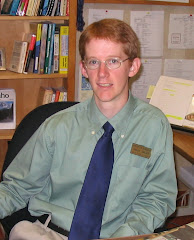
Hi, my name is Spencer Jardine, and I am a graduate student at the University of Iowa in the School of Library and Information Science. Currently, I am gaining experience in a practicum where I observe reference transactions and instructional sessions.
Subscribe to:
Posts (Atom)