Showing posts with label tools. Show all posts

Saturday, August 3, 2013

Web-based Polling in Library Instruction

Jared Hoppenfeld's article "Keeping students engaged with web-based polling in the library instruction session" introduces web-polling as a means to promote student engagement.  His literature review covers several areas, such as the main constituents of library instruction in academic libraries--Millennials, active learning, Audience Response Systems and web-based polling, as well as mobile technologies.  Indeed, he has provided a thorough overview of the topic, bringing to light some web-based polling sites I was not aware of previously: Text the Mob and SMS Poll. 

Of more particular interest to me, he offers suggestions on types of questions that a library instructor might ask during a typical library instruction session.  Hoppenfeld starts with an icebreaker, such as "How happy are you that college football season is here?"  If the class takes place closer to Valentine's Day he might ask about profits related to chocolate sales (243).  This signals to students that the class will not be a regular library lecture class, and it also introduces them to the polling software.

Hoppenfeld's second set of questions deals more with student knowledge.  Where are they coming from?  What have they tried when conducting research?  He may ask where they might discover a journal article, in a catalog or in a database.  "An open-ended poll is also used to find out what resources the students have previously used for their research" (243).  This offers an opportunity to discuss what they have tried and explain why they would want to take advantage of the library resources.  What are the pros and cons of searching Google, Wikipedia, or About.com?


Tuesday, February 28, 2012

Polldaddy Survey Sharing and Experience

Polldaddy has been a useful tool for me in the library instruction classroom.  It gives me a better sense for what the students know and understand.  This offers me a bit more confidence as I teach them.  I am able to correct errors and provide useful feedback.  Hopefully, student have learned a bit more as a result of this tool.

Polldaddy makes it easy to share polls and surveys.  They let you share surveys and polls with hyperlinks, emails, Twitter buttons, Facebook buttons, iPad apps, and even QR codes.  If you are interested in some of the questions created for students, take a look at this English 1102 Follow Up Survey. 

The QR code for this same survey looks like this:
Please take the survey.
 Have you used polling software in presentation or instruction settings?  Do you use it in social media, such as on Facebook or Twitter?

Friday, July 1, 2011

Information Literacy: Necessary for Librarians, Too

Reference librarians often need to apply evaluation skills in their jobs.  I constantly need refreshers to remember the ACRL's Information Literacy Competency Standards for Higher Education.  Here's a direct quotation:
Information literacy forms the basis for lifelong learning. It is common to all disciplines, to all learning environments, and to all levels of education. It enables learners to master content and extend their investigations, become more self-directed, and assume greater control over their own learning. An information literate individual is able to:
  • Determine the extent of information needed
  • Access the needed information effectively and efficiently
  • Evaluate information and its sources critically
  • Incorporate selected information into one’s knowledge base
  • Use information effectively to accomplish a specific purpose
  • Understand the economic, legal, and social issues surrounding the use of information, and access and use information ethically and legally
When a local or state consortium reviews database contracts this can change what individual libraries make available to their patrons.  New resources can be made available, especially if the state covers the costs of databases for which the individual already subscribes.  Idaho's state library operates the LILI (Libraries Linking Idaho) website and made an announcement not long ago that told which databases had acquired for residents of Idaho to access over the next year or two.

Recently, I was asked to look for and make recommendations for a political science database.  My supervisor recommended that I use three resources I was not aware of previously: CUFTS, JISC, and Charleston Advisor.

CUFTS: Open Source Serials Management offers a  tool that allows you to compare periodical titles between two different databases.  This resource comparison tool lists hundreds of databases created by some of the major database providers.  Say you want to compare the ProQuest Central database with EBSCO's Academic Search Complete database.  It may take a few minutes for the report to load, but when it does it is easy to see each periodical title according to their distinctions.  Duplicate titles that appear in both databases are listed next to each other in two columns, so it is easy to see which one just indexes, which one offers full-text access, and the years of coverage, including length of embargo periods.  At the end of this long chart, CUFTS gives the number of duplicate titles, then it lists the unique titles in each database with the other coverage information given as well.
  • Found 4170 duplicate holdings.
  • Found 13502 unique holdings in the ProQuest Central database.
  • Found 9664 unique holdings in EBSCO's Academic Search Complete.
What kinds of things should database evaluators be watchful for? Many of these questions can be answered using the CUFTS: Resource Comparison tool.
  • Does the database contain a lot of freely available content, such as government documents?  This can pad their numbers.
  • How much of the content is current?
  • How far back does the content go?
  • How much full-text access is provided?
  • Are important journals or magazines available in full text?
Like the website indicates, the Charleston Advisor offers "critical reviews of web products for information professionals."  It might be a bit tricky to find reports that are useful, so try browsing their list of reports. They have well-researched reports that go back ten years or more.  Reports are published as pdf's.  They give an overall score for the resource, plus they grade on specific aspects of a resource:
  • Content
  • Searchability
  • Pricing Options
  • Contract Options
As an example, the Ninteenth Century Masterfile earned 4 3/4 stars over all out of five possible stars.  Searchability earned only four stars and received five stars in all the rest of the categories.  For content they claim: "This is the most comprehensive research tool for nineteenth century studies. It should be the researcher’s first stop to explore the literature."  It seems like a great resource for evaluating academic databases as long as you can find the product you are looking for.  I had difficulty finding very many reviews on political science products.

Last, the JISC: Academic Database Assessment Tool also makes it easier for information professionals and librarians to evaluate vendor products.  Admittedly, this is the one I know the least about, but the home page shows that they have links to search and compare title lists of major bibliographic and full-text databases.  They explain their site in these terms:
This site from JISC Collections aims to help libraries to make informed decisions about future subscriptions to bibliographic and full text databases. More information about the site's data sourcing and comparison method is available on the 'About' page.

View visual dashboards showing charts and stats for each database.
Review dates that title lists in ADAT were last updated by suppliers.

Generate tables comparing the key features of database platforms.

Compare and contrast the core functionality of eBook platforms.

It looks like a useful tool.  Take a look at them and let me know if you found them helpful.  What do you look for when evaluating databases for your institution?


Tuesday, February 1, 2011

Need a Shorter URL?

 For so many, this is old information, but it still comes in handy on occasion.

Do you ever cringe at seeing interminable website addresses (URLs)?  If you ever need to shorten up a URL, just go to Tiny URL: http://tinyurl.com/.  It will assign a shortened website for you that you can share more easily with others.  You do not even need to sign in or pay for this service.  By the way, URL stands for Uniform Resource Locator. 

How have you found the Tiny URL to be helpful?  When do you use it?  Have you ever found it problematic?

I have seen instruction librarians stick a tiny URL to the back of their business cards that they then hand out to their classes, especially if they have created a specific resources (pathfinder or Libguide) page for that particular class.  It diminishes the amount of confusion for students, and they can find the page again later--as long as they don't lose the business card, I suppose.  : )


Tuesday, October 5, 2010

New Tutorials Created with Jing!

Take a look at some tutorials I recently created to help students become familiar with our databases, so they can find articles more easily and know how to take advantage of the search interface as best they can.

Database Features (4:06)

The following tutorial shows the steps Idaho State University students, faculty or staff might take for finding scholarly articles with resources available to them through the Library's resources:

Finding Scholarly Articles at ISU (2:23)

Ever wondered how to narrow down your topic to a more manageable size? Writing on global warming, gun control, abortion, or any other huge issue can be daunting. This tutorial covers some general tips to help narrow down just about any topic, including by population, time, and location/geography. This tutorial used Prezi--The Zooming Presentation free software to create the presentation. Jing allowed me to add audio.

Narrowing a Topic (4:59)

Do you have an opinion about any of these tutorials? Let me know what you like about them and what could be improved.

If you are interested in viewing other tutorials I have created, take a look at my Google Sites page: Eli M. Oboler Library Tutorials.

Monday, May 24, 2010

Using Technology in the Information-Literacy Classroom

Last week I found a link to Adam Bellow's "Library 2.0 Presentation." I discovered many new technology websites and was motivated to explore some that I had only heard about. He shared this presentation in New York in the month of February if I remember correctly.

So many search engines exist out there, and sometimes it can be enlightening for individuals to learn about a few alternatives to the super popular Google. They have evolved and become fancier with visual results, though some of them appear to be more for fun than for searching. Take a look at some of the following:
  • RedZ: Shows thumbnail images of half a dozen websites, so you can preview the source before you select it.

  • Search Cube: Images related to your search appear in a cube.

  • DoodleBuzz: Enter search terms, then doodle with your mouse. Results appear along the line you draw for an interesting visual map, though it does not seem to let you click on a title and jump to that website. I suppose that if you can save one of these visual search results it might go well with a report or presentation.

  • WolframAlpha: Computational Knowledge Enginge: Of all the new search engines I looked at this one got me the most excited. While it did not have fun pictures culled from Flickr (see Tag Galaxy), it did display one single page (read clean and uncluttered here) with a list of factual information about the item in question. The site includes examples of questions or queries, so it focuses on answering mathematical problems, but it does provide general information also. Examples: how many teaspoons in a cup, distance to the sun, height of Mount Fuji, facts about Pocatello, number of acres in a square mile, December 7, 1941 (tells you day of the week, phase of the moon, day of the year, and more about that specific date), etc.

    On their About page they describe their goals: "Wolfram|Alpha's long-term goal is to make all systematic knowledge immediately computable and accessible to everyone. We aim to collect and curate all objective data; implement every known model, method, and algorithm; and make it possible to compute whatever can be computed about anything."

  • Tag Galaxy: Narrow down image results by clicking on planets. When you want to view results, select the sun/star around which the planets/satellites revolve. These images are pulled from the popular photo sharing site, Flickr.com.

The following sites are not so much search engines, but Web2.0 sites that invite participation or creativity:

  • Trailfire: This site allows you to create a pathfinder or a "trail" as they call it to important sites on the web.

  • Middlespot.com: It allows you to save sites in a visual manner and create your own online desktop with tabs if you wish.

  • Animoto: Create a video with your own images or film clips, then add text and music to spice up the video.

  • Flixtime: Lets you create and customize videos from your own photos and videos.

  • Glogster: Design, create, and publish your own digital poster.

  • Screentoaster: Record a screencast. Share and stream videos. Record what you are doing on the internet.

Tuesday, May 4, 2010

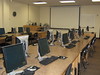
Oboler Library Room 212

Jardines in 2010 029
Jardines in 2010 029,
originally uploaded by Ref & Ins.
We have two instruction rooms in our Library. One has 26 computer workstations that allow for hands-on practice and live demonstration (we have Vision software that allows us to broadcast what we are doing at the instructor's station to all the other stations). It has a projector, screen, whiteboard, moveable blackboard, bulletin boards, handout cupboard, and ELMO. These have all been useful for instruction. This room (#212) gets used the most for instruction, because librarians like to let students practice and develop their searching and accessing skills.

Take a look in Flickr to see the photostream with more photos of our instruction rooms.

Oboler Library Room 266

Jardines in 2010 035
Jardines in 2010 035,
originally uploaded by Ref & Ins.
This instruction room (#266) has an instructor station, projector, screen, whiteboard, a big-screen TV, tables, and chairs that seat a little over 30 individuals. It's more of a lecture room, but we have also used it for teleconferences (College of DuPage). We do have a piece of art work or two in each classroom as well.

We like having two instruction rooms; it allows for more flexibility as far as library instruction and scheduling goes. It also doubles as a meeting room for librarians and for a presentation room when vendors come and want to show us their products.

Tuesday, March 30, 2010

Need a DOI?

No, this is not a post on driving over the influence, nor under it, either. Rather, this is about finding a digital object identifier (DOI). The International DOI Foundation gives the following definition: "A DOI® (Digital Object Identifier) is a name (not a location) for an entity on digital networks. It provides a system for persistent and actionable identification and interoperable exchange of managed information on digital networks."

Some associations, such as APA and AMA, have begun to ask for DOIs in their bibliographic references and include instructions within their published citation style manuals.

What happens if you cannot find the DOI? Fortunately, many databases provide the DOI as part of the full citation of the articles they index. Nevertheless, there may be times when the DOI cannot be located. Crossref.org has created a query page that allows individuals to input elements of their citation into blank fields before clicking the search button to find the answer. Actually, they provide three different search options:

  • Bibliographic Metadata Search: enter as many individual elements of an article, book, or conference proceeding citation. Note: select the radio button next to Book/Conference proceeding if that is what you seek.

  • Search an Article Title: use this one if all you have is the article title. Knowing the author's name may reduce results.

  • Automatic Parsing of a Normal Reference: enter the text for a bibliographic record. It lets you search for multiple DOIs if you enter multiple bibliographic references.

So if this post influences you to use Crossref.org to find DOIs, then you might just be driving [the internet] under the influence (DUI).

Thursday, March 18, 2010

Using Google Sites as Library Guides

Idaho State University stopped using a webmail service back in October 2009 and switched to Google Apps. I have migrated completely from the Microsoft Outlook to exclusive usage of the Google Apps. It has many advantages, though many of my colleagues may argue otherwise. They have stayed with Microsoft Outlook, preferring its system of folders, which is an advantage in many instances. Today's news says that 25 million people use Google Apps.

I like the greater capacity to collaborate with the Google Apps. It seems to be easier to share calendars, share documents, collaborate on websites, etc. Google Sites in particular makes it easy to create webpages. True, they may not function as well as LibGuide's product; however, the price tag, or lack thereof, really makes Google Sites more of a realistic option in today's down economy.

As part of my duties, I teach lots of different classes and have created handouts for many of them. Unfortunately, some students will discard them immediately after the class, so rather than print handouts that may get wasted it may make a bit more sense to create websites and include digital copies of the handouts and worksheets that they can print or use digitally themselves.

Here are some of the Google Sites I have created thus far:

Let me know what you think of them and please share any suggestions for improving them.

Monday, March 1, 2010

Finding Full-text Theses & Dissertations

A week or two ago one of my colleagues made me aware of a site that can help you find the full text to a thesis or dissertation. If she is helping someone at the reference desk who needs a thesis, she will look here before advising them to request a copy via our Interlibrary Loan department.

Networked Digital Library of Theses and Dissertations's website states: "The Networked Digital Library of Theses and Dissertations (NDLTD) is an international organization dedicated to promoting the adoption, creation, use, dissemination and preservation of electronic analogues to the traditional paper-based theses and dissertations."

Once you get there, select the following words in the box: "for Researchers: Find ETDs." Presumably, ETD stands for "electronic theses and dissertations." On the Find ETDs page you will see options for searching, browsing, and contributing to the archive as well as various possibilities for interfaces. The VTLS Visualizer hyperlink will take you to a search interface where you can plug your search terms in the box and do some hunting.

If this tool is not sufficient, you might look for the Dissertations & Theses A&I database. Most academic institutions purchase access to this database, since it can be immensely useful for graduate and faculty research. It's great for searching; however, it just provides abstracts, 24-page previews, and the option to purchase a copy in various formats..

Now I have one more thing to show graduate students in future workshops--as if I did not have enough already!

Monday, February 22, 2010

New Video & Editing YouTube Videos

This afternoon I created a 5-minute video, showing how to use the EBSCOhost database Academic Search Complete. My comments are directed toward students enrolled in a Communications 101, or speech, course.

While I'm on the subject of videos, I just learned that there's a free web tool out there called TubeChop, which allows anyone to specify which part of a video they want to see and create a link to it or save it within a presentation. Librarians at Information Literacy meets Library 2.0 made me aware of this, and apparently they found out on Twitter from Phil Bradley.

Tuesday, February 2, 2010

Brief Follow-up on Jing

Thank you to everyone who has come and visited my blog in the last week. If I interpreted the Google Analytics report correctly, then 180 individuals have looked at my most recent post on Jing, which is screencast software. Honestly, that tops all other personal records as far as individuals looking at one of my posts. I must have hit on a popular topic.

I am still quite excited about Jing and its potential for demonstrating search techniques and database demonstrations, which would open up library instruction for actual information-literacy activities. I may have mentioned this in the first post on Jing, but it seems that it would be a great reference tool, particularly when working with patrons over the phone, IM, or email. It's quick and easy.

Friday, January 22, 2010

Jing! An Awesome Way to Promote Information Literacy

Jing offers free downloadable software that enables you to create audio tutorials, simple screen shots, and then share them freely with others. It seems that reference librarians could easily create an audio tutorial while serving a patron on the phone or via chat reference. By creating a free account with Screencast.com, you can have 2 GB of storage space for your screen shots and screen casts.

Look at the table showing the difference between the free Jing and the Jing Pro version.

Creators of this software have made it relatively easy to share your screen casts with email messages, web code to embed it into a web site or blog, and a stable URL however you wish to share it. Naturally, Jing created a video introducing their product, which I do recommend.

For library instruction, this could really be beneficial. Quick audio tutorials can be created and shared in the ways just mentioned, leaving more time to focus on information-literacy standards. The URLs can be distributed on handouts, to instructors, on Libguides, etc. (Recently, I took the time to learn about Google Sites, which is how I may begin creating my own Libguides, since my institution cannot afford the real Libguides.) With a good pair of headphones that include a microphone, an audio tutorial can be creating lickety-split.

Some might consider the limitation of 5 minutes to be detrimental, but it seems that many students do not appreciate lengthy demonstrations. Most are of the following mindset: "Get in, get done, get out." Of course, if any humor can be inserted, all the better.

Take a look at a couple of my spontaneous audio tutorials:
  • Course E-Reserves: Finding Your Professor's Electronic Documents (2 minutes 34 seconds)

  • Reference Books: Limit Results by Location in the Library Catalog (2 minutes 30 seconds)

Thursday, July 2, 2009

Humor in the Classroom

Humor can lighten the mood in any setting, but in a library-instruction session it might be particularly unexpected and well received. Unfortunately, if other librarians are like me, humor does not come naturally. I read an article a few months ago on some librarians who endeavored to study humor in the hopes that they could be funnier in the classroom. They attended workshops and read books. [Yes, I know, I need to look up the citation to that article.] If I remember correctly, they concluded that they could not succeed as stand-up comediennes, but maybe they could make library instruction more palatable for students. Anyone can show a cartoon or a funny clip and get some chuckles. Students seem to appreciate that attempt at humor. They also said that just keeping your eyes open to humor can keep you aware of golden opportunities for a laugh.

Don't get me wrong. We do not want to entertain students just to be entertaining, rather humor facilitates learning. It can pull them back to the here and now if they are losing focus. It can direct them engage more willingly with the activities you have set in place during your instruction. Of course, it can go too far, but a few well-timed jokes or humorous observations during a demonstration can work wonders in garnering student attention.

Here's my one lame joke during the introduction to our catalog: "When it refers to 'Status' it is not asking if the book is married or not, but it's asking if it is available inside the Library." Yeah, pretty lame, huh. : )

At any rate, I picked up a book by Patrick McManus not long ago titled: The Deer on a Bicycle: Excursions into the Writing of Humor. I used to think that I didn't pick up on humor very well in books, and I was probably right. I took things very seriously. Things have to be spelled out to me, like "This is a humorous book, don't forget to laugh." No matter how much I tried to keep a straight face, Patrick McManus succeeded in making me grin from ear to ear and laugh. He provides some great tips for writing humorous pieces, and he includes some great sample stories from his years of writing for magazines.

Wednesday, April 22, 2009

Information Literacy Article by William Badke

William Badke continues to champion the cause of information literacy. As a prolific author, he addresses many facets of finding, evaluating, interpreting, and using information. Though I have not done so yet, it would be a good idea to read his book Research Strategies: Finding Your Way Through the Information Fog, 3rd. ed., which was published just last year.

I have enjoyed reading his regular "Infolit Land" column in Online: Exploring Technology & Resources for Information Professionals. His Jan/Feb article is titled: "Professors and Personal Information Literacy." In it he describes three different professors he has known (of course he conceals their identity). Professor A comes to him and essentially wants him to do the research for him--a literature review (47). Professor B, on the other hand, copies down search terms and techniques, while not exactly grasping the larger information-literacy strategy. Finally, Badke explains how Professor C brings his students to the Library every semester for instruction, introduces the class, and emphasizes the value of what they've have been taught (48).

Before writing, I had not paid attention to the sections of the article, which shed more light on the character of each professor type here: (a) intermediary dependent, (b) strategy determination, and (c) teachable professor. This article is worth reading.

Badke makes some excellent points, so I'd like to quote him directly:
I've started to wonder if faculty members who are passively resistant to information literacy instruction are guided less by pride than by a lack of belief that information literacy can be taught at all. Most faculty members fell into their own research skills just because they are gifted academically. No one taught them, and they can't even remember learning how to do research. To them, teaching a student how to do research is like teaching critical thinking. Academics are always talking about it, but few have any sort of notion of a pedagogy that could actually bring it about. You learn it by doing it, so how can it be taught. (48)

He says it better than I can. Badke acknowledges that his generalizations do not ring true for every academic in higher education. There are professors who dedicate time to understanding pedagogy and how to really foster critical-thinking skills, but they seem to be in minority. Many academics worry a great deal about covering the content in their courses. Content/knowledge is very important, but understanding how people came to that knowledge is just as important, as is knowing why that knowledge is important and how it impacts other knowledge.

I suppose that if I were to disagree with one thing that Badke says in the last quote, I would take issue with the assertion that "Most faculty members fell into their own research skills just because they are gifted academically. No one taught them, and they can't even remember learning how to do research." In many cases I would think that professors picked up research tips and insights a little bit at a time from a classmate here, a thesis adviser there, an observation they make while combing through footnotes, and sometimes even from a librarian. If it takes a village to raise a child, maybe it takes an invisible college to raise an academic.

On the bright side, it seems that Badke's comments in this article would align well with Ken Bain's ideas in What the Best College Teachers Do; the best college teachers are teachable themselves, make an honest effort to understand their students, and sympathetically invite them to learn--not always relying on just one or two methods.

One other thing that Badke says caught my interest.
But easier search tools do not mean better searches. Abandoning sophistication often means abandoning effective and comprehensive academic research. (49)
Librarians like to hear this sort of thing; it's very vindicating, and it encourages us to go forward in our efforts to convince students of the value of the databases they pay for themselves with their tuition dollars. Taking the time to learn how to search the databases can be very useful, not only for students, but also for faculty.

By the way, I do agree that "easier search tools do not mean better searches."

Friday, January 30, 2009

Looking for a job? Are you trying to decide on a career?

Occupational Outlook Handbook

What do you want to be when you grow up? If this question still haunts you, consider looking at the Occupational Outlook Handbook, which details average yearly salaries, job duties, qualifications, educational attainment, etc. Accessible online at www.bls.gov/OCO/. Additionally, you can gain a sense for the future growth or decline of a particular career. If you want to know what kinds of jobs are available or preferred by those in specific majors, check out www.bls.gov/k12/index.htm. This site provides several career options for each school subject, such as math, reading, science, computers, and even helping people.

Did you know that an average pharmacist makes between $80,000 and $100,000 annually? If you like chemistry and math classes this might be just the career for you. Discover what other workers and professionals make from the Occupational Outlook Handbook: www.bls.gov/OCO/. This resource also provides informed estimates about those careers that will be in most demand. So you like nature, music, or sports better? Check out the following website to discover which jobs may be more suited to your interests: www.bls.gov/k12/index.htm.

What’s your favorite subject in school? If you like computers, you might be interested in becoming a database analyst, a software engineer, a support specialism, a webmaster, a hardware engineer, or a systems analyst. Throughout the country a webmaster averaged between “$49,510 and $82,630 in 2006.” Additionally, “the number of [webmaster] jobs is expected to grow much faster than the average for all occupations between 2006 and 2016.” To see specific subjects connected to potential occupations, look at www.bls.gov/k12/index.htm. Or take a peek at the Occupational Outlook Handbook for more detailed information and even more occupations: www.bls.gov/OCO/.

What’s your favorite college class that you’ve taken so far? Would you like to know what kinds of jobs are available for someone who likes a particular subject in school? Take a look at www.bls.gov/k12/index.htm to see potential occupations, earnings, jobs in high demand, descriptions of responsibilities, and education requirements. For more detailed information and a longer list of jobs, access the Occupational Outlook Handbook on the Bureau of Labor Statistics website: www.bls.gov/OCO/.

Monday, October 20, 2008

Resizing Photos

Last year I presented a workshop on Picasa and Flickr photo-sharing websites. Several individuals expressed interest in knowing how to resize their photos. A few months back a colleague of mine brought the following website to my attention: ResizR. It allows anyone to upload any digital image they have with a "Browse" button; then they may specify how many pixels large they want it to be. The website resizes it right then and there, so the user can right-click on the image and save it to their own computer or memory device. This has been a handy tool for me.

Wednesday, January 30, 2008

Follow-up for MC 399

After yesterday's class with the Mass Communications students, I reflected and felt that I should have shown the US Statistical Abstract rather than LexisNexis Statistical, and I should have shown LexisNexis Academic and pointed them to the News tab. I think they would have been able to find more relevant information for their assignment that way.

Also, after looking at Google Trends (www.google.com/trends) I am initially inclined to say this would be a good tool for the students who are searching for trends. It provides graphs of searches individuals have conducted over time. It also shows which countries and cities have conducted the most searches on the words entered.

Thinking of relevant words for your search can be critical to finding the necessary information. In yesterday's class I don't think it ever occurred to me to use the word "trends" when helping a student try to answer the question: "How to 18-24 year olds use email today?" This may or may not be helpful; however, a search in Academic Search Complete yielded 109 results. Granted, once I limited the search to articles published in the last four years only 29 results appeared--Yet, this is indicative that email usage and popularity has waned substantially in the last four years.